Convert SDR photos to HDR
Give any photo a gain map so highlights can go brighter than white on an HDR display. If your camera already captured one, we carry it through untouched. If it did not, we build a plausible one. The result is still an ordinary JPEG that opens everywhere.
See the difference (and find out if your screen can show it)
Both images are the same photo of a sunlit lobby. The one on the right carries a gain map that Mochify generated from the highlights already in the frame: the patch of sun on the wall, the rippling shadows beside it, and the glowing light tubes are where to look.
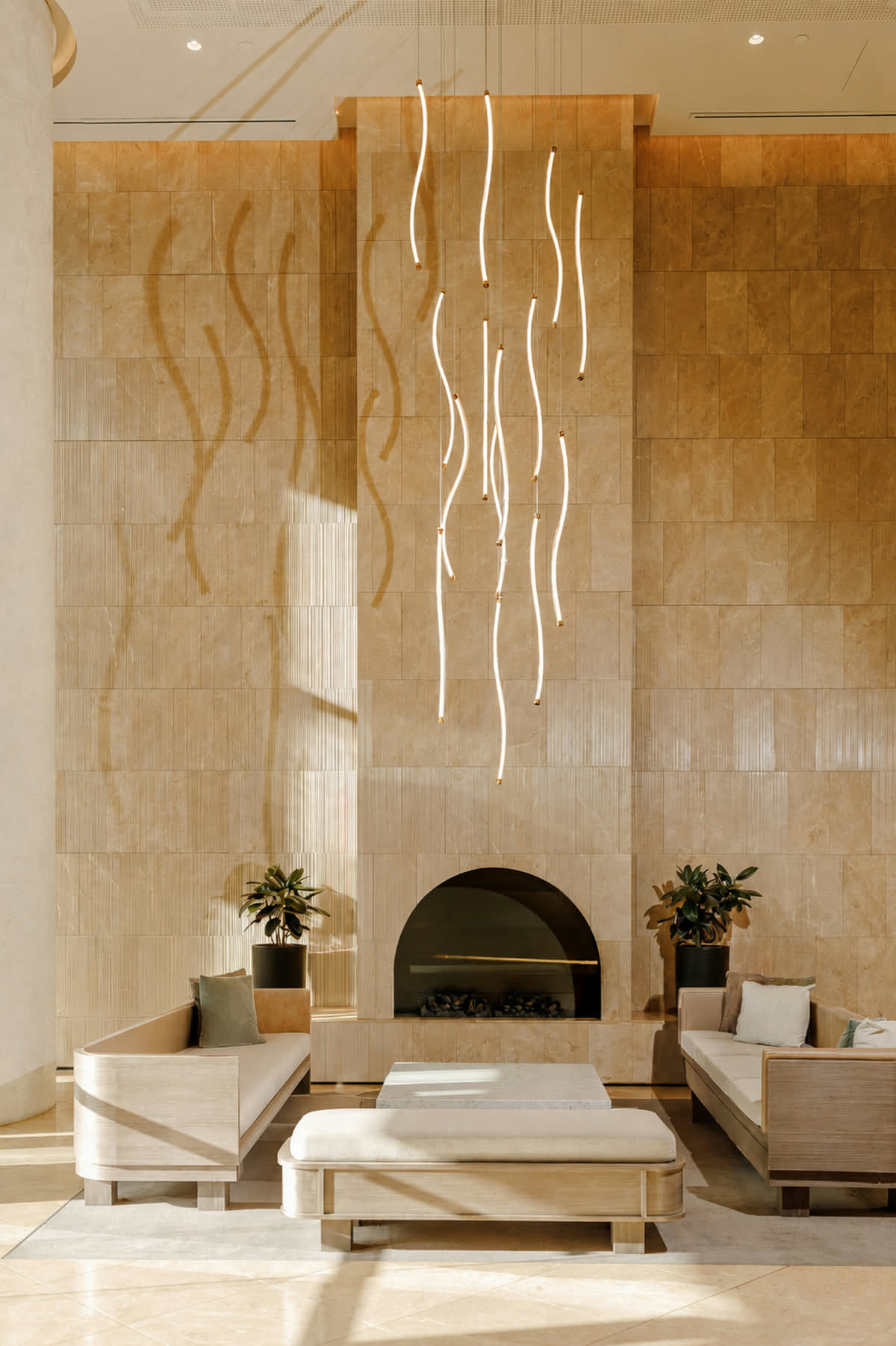
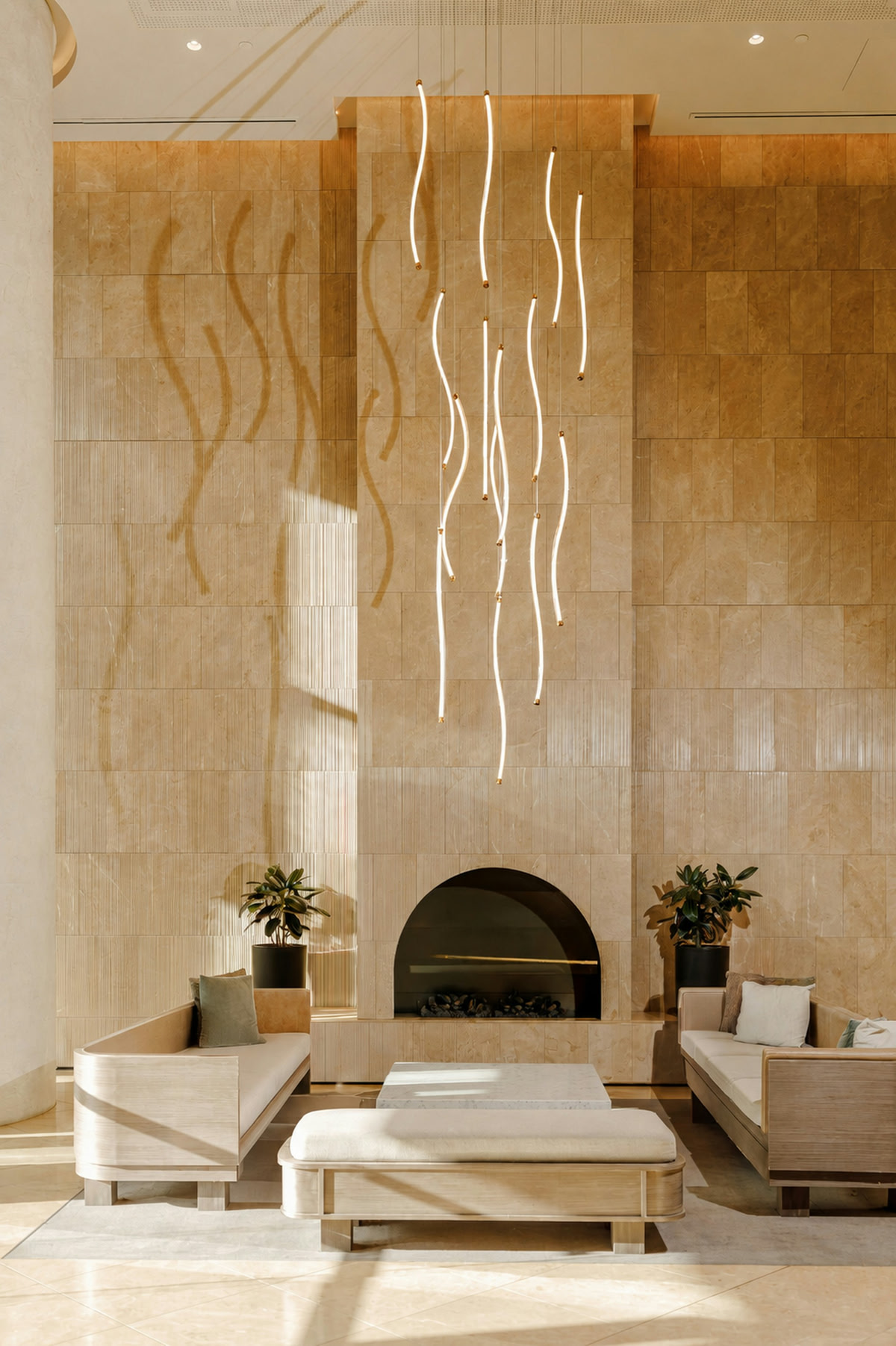
If the right-hand image looks brighter in the highlights, your screen and browser are showing HDR. A phone from the last few years, a recent Mac or iPad, or an HDR monitor in Safari 26 or a Chromium browser (Chrome, Edge, Brave, Opera) will show it.
If the two images look identical, you are looking at the standard-range version of both. That is not a fault in the file. Either the display has no headroom above white, or the browser does not read gain maps yet (Firefox does not, as of this writing, and neither do most desktop image viewers). Open this page on a recent phone and the difference appears. For the full list of where HDR photos display and why they go flat elsewhere, read why HDR photos look flat when you share them. For the steps on your own phone or in Lightroom before you get here, see how to make any photo Ultra HDR on Google Photos, Samsung, iPhone or Lightroom.
This is also why the effect matters for anyone selling online: a product photo with a gain map looks like an ordinary photo to every customer, and noticeably more vivid to the growing share viewing on a phone that renders HDR. Nobody sees a worse image.
Need to resize too? Just say so.
Type something like "add HDR and resize to 2000px" and our prompt form handles the rest.
Two ways a photo comes back HDR
Which lane your file takes is decided by the file itself, not by a setting. Drop it in and Mochify checks whether a gain map is already there.
Your file already carries a gain map
Ultra HDR JPEGs from Pixel and recent Android phones, and Apple Adaptive HDR JPEGs shared out of an iPhone
The map your camera measured is carried through resize, crop, and rotate, then re-encoded verbatim. Nothing is recomputed, because a derived map is measurably worse than the one the sensor produced.
Your file is plain SDR
Ordinary JPEGs, PNGs, WebP, AVIF, and HEIC or HIF photos, which never carry a gain map Mochify can read
A gain map is synthesized from the highlights already in the frame: a smooth ramp that starts around three-quarters brightness and climbs to roughly 1.5 stops, tempered by local contrast so a bright sky lifts differently from a white shirt.
Generated headroom is invented, not recovered. Nothing can retrieve detail your camera never wrote down. Synthesis reads the highlights that did survive and builds a brightness curve from them, which looks convincing on an HDR screen but is an effect rather than measured data. Every response says which one you got: the X-Mochify-HDR header returns true for preserved, generated for synthesized, and false when the result carries none.
What a gain map actually is
An ordinary photo tops out at white. A phone screen can go several times brighter than that, and a gain map is how a single file uses the extra range: a small, smooth, half-resolution brightness multiplier stored next to the normal picture.
An HDR display multiplies one by the other and gets a brighter rendition. Everything else ignores the map entirely and shows the plain image. That is why the output here is still a JPEG that opens anywhere, and why there is no second file to keep track of.
How the generated map is built
Brightness alone cannot distinguish a specular highlight from a blown sky from a white shirt, so a curve on brightness alone lifts all three equally and the result looks flat and artificial. The map here starts from a smooth ramp above roughly three-quarters brightness, climbing to about 1.5 stops, then corrects it by local contrast so isolated bright detail lifts more than a broad pale region.
We deliberately do not run a neural model. A gain map gets low-passed to half resolution and compressed hard before it reaches the file, and the invented structure a model contributes does not survive that. A curve produces the same surviving result without the cost.
Encoded with jpegli
An Ultra HDR file is two pictures in one wrapper: the standard-range base everything sees, and the gain map on top of it. That makes the JPEG encoder matter more here than it does for an ordinary photo, because you are paying for the extra layer out of the same byte budget.
Mochify swaps the system JPEG library for Google's jpegli across the whole encoder, so the HDR path writes through it too. Better quality-per-byte on the base image is what keeps the gain map close to free: the map itself is stored at half resolution and compressed hard, so the extra usually lands in the low single-digit percentages.
Which output formats can carry it
Ultra HDR: an ordinary JPEG with a gain map attached. The only output here that can carry one. Not sure JPEG can do HDR at all? See does JPEG support HDR.
No gain map concept. HDR lives in the pixels as linear float, so it works from a real HDR source but there is nothing to synthesize into.
Our encoder path flattens to 8-bit sRGB before AVIF is written, which clips every highlight above white. Claiming HDR here would be a lie.
The format cannot represent HDR in any form.
The format cannot represent HDR in any form.
Is generated HDR the same as real HDR?
How do I know if my screen shows HDR?
What is a gain map, exactly?
Will the file still open on a normal screen?
How much brighter does it actually get?
Why did my conversion come back without HDR?
Does the result get bigger?
What happens to my files?
Edits that switch HDR off
A gain map is a ratio to the image underneath it. Change that image and the ratio stops meaning what it meant, so these operations return a clean standard-range file instead of one labeled HDR that no longer is.
Brightness
A gain map is a ratio to its base image. Shift the base and the ratio now means something different.
Clarity
Sharpening round-trips through a bounded 16-bit Lab space, which clips everything above standard white on the way in.
Background removal
Matting runs on standard-range pixels and composites against 0-255 colors, which are meaningless against the 0-1 scale HDR works in.
Shadow generation
Same reason as background removal: the compositing step has no notion of headroom.
Same thing from the API
One parameter. Use hdr=true to preserve only, or hdr=generate to preserve and synthesize, which is what this page sends.
curl -X POST "https://api.mochify.app/v1/squish?type=jpg&hdr=generate" \
  -H "Authorization: Bearer $MOCHIFY_KEY" \
  --data-binary @photo.jpg \
  -D headers.txt -o photo-hdr.jpg

grep X-Mochify-HDR headers.txt
# X-Mochify-HDR: generated
One caveat worth knowing if you script this: on the HDR path only quality reaches the encoder. optimizeForWeb is accepted but has no effect, because progressive scan and 4:2:0 chroma belong to the plain JPEG writer that an Ultra HDR request does not go through. Full parameter reference lives in the API documentation.
Also available